Last checked 2026-10-10
eTravel is the Philippines' free online platform for arriving and departing passengers, and every arriving passenger and crew member, Filipino or foreign, apart from diplomats and a few other official travelers, must complete it at etravel.gov.ph or in the eGovPH app within the 72 hours before arrival. You get a QR code to show your airline before boarding, and any site that asks you to pay for it is a scam.
Contents
What is eTravel, and what does it replace?
eTravel is a single online form that several Philippine agencies read at once. The eTravel FAQ calls it a digital single data collection platform for passengers arriving in and departing from the Philippines, used for border control, health surveillance and economic data analysis. It is not a visa, and it does not decide whether you may enter.
The system took over from paper. The Bureau of Immigration (BI) stopped using the paper Arrival Card in December 2022. The BI says the project abolished the paper arrival and departure cards as well as the quarantine form. The Bureau of Customs (BOC) has since rolled out its baggage and currency declarations inside eTravel at all international airports. As a result, one QR code now carries your health, immigration and customs declarations.
Behind the form sit several government agencies. The Department of Information and Communications Technology (DICT) controls the data, while quarantine, immigration, customs and the Department of Tourism (DOT) process it. That is why the questions mix your passport details, your flight, your health and what is in your bag.
Who has to register for eTravel?
The rule is short, but it is easy to misread for the trip home. Find yourself in the table below. The groups come from the official eTravel FAQ and BI advisories, checked on 2026-10-10.
| Who you are | Flying into the Philippines | Flying out of the Philippines |
|---|---|---|
| Foreign tourist, business visitor or long-stay guest | Register | Not on the required list; you still declare cash above the customs limits |
| Filipino citizen, including returning residents and workers abroad | Register | Register |
| Foreign diplomat and dependents, foreign dignitary and delegation, 9(e) visa holder, diplomatic or official/service passport holder | Exempt | Exempt |
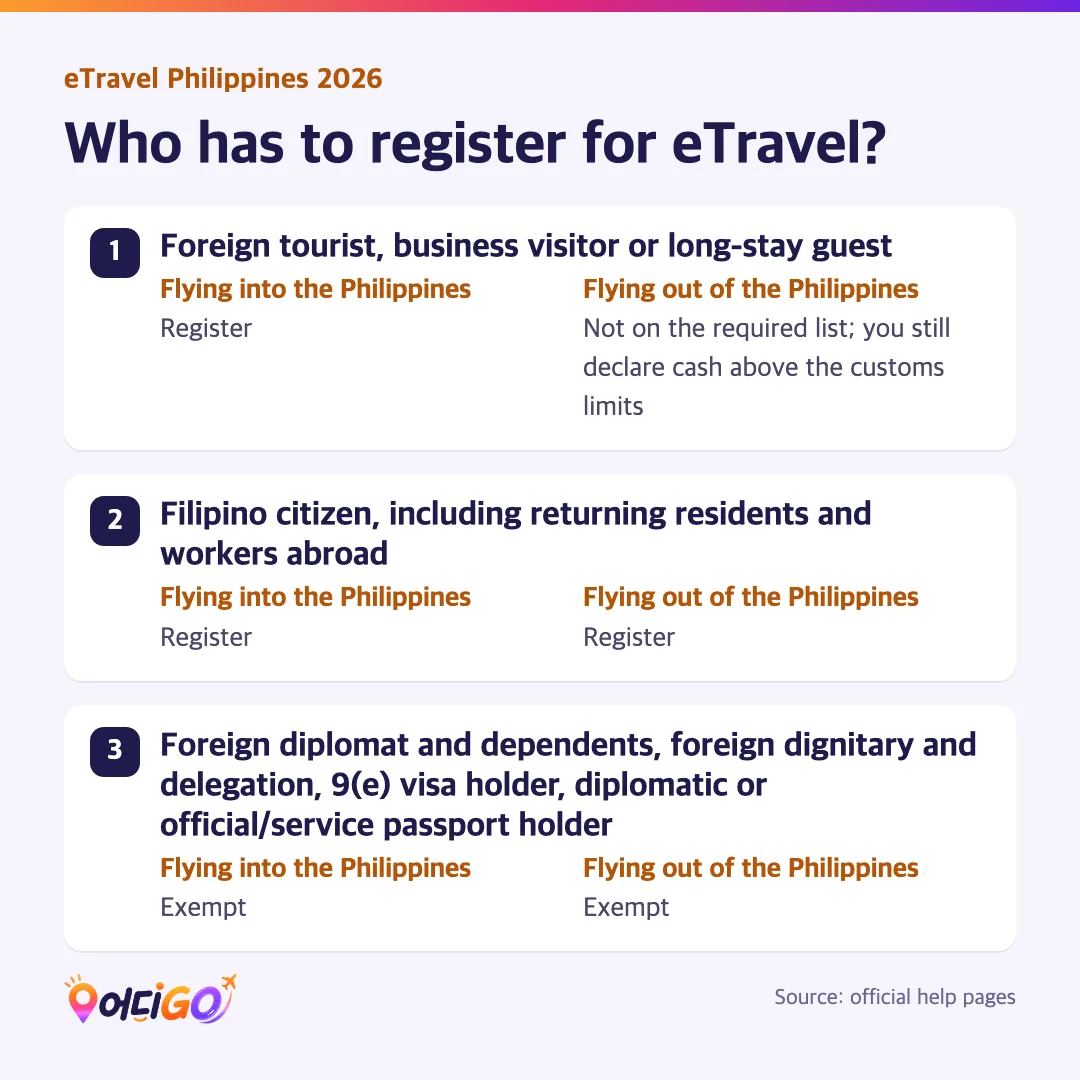
Children travel on their own passports, so plan on one registration and one QR code for each person in your group. Customs says one QR code per passenger is used in eTravel, so a single code for the whole family will not clear everyone.
When should you register, and what does the 72-hour rule mean?
Official pages describe the timing in slightly different words, and that is where most of the confusion online comes from. Here is what each source says, as of 2026-10-10:
| Source | What it says |
|---|---|
| eTravel FAQ (the system itself) | "within 72 hours (3 days) prior to your arrival into or departure from the Philippines" |
| Bureau of Customs notice on its eTravel rollout | The same window, written as "three (3) days" before arrival or departure |
| BI reminder for the holiday travel rush | Fill it in within the same window before departure |
| BI advisory on eTravel registration (the newest) | Register or update "at least" that long before travel |
| BI statement on allowing time for immigration | "may be accomplished 48 hours prior to the scheduled flight" |
The portal and customs both describe a window that opens three days before you land, while the newest BI advisory stresses getting it done early. The safe reading that satisfies every version is simple: register on the day the window opens, then check the details again the evening before you fly. If something changes, such as a new flight number, update the same record instead of starting over.
- Direct flight: count back three days from your scheduled landing time in the Philippines and register then.
- Connecting flight: use the landing time of the last leg into the Philippines, not the time you leave home.
- Round trip for a Filipino traveler: you need a fresh update before the outbound flight and another before the flight home.
- Delayed flight: open your record and correct the arrival date or flight number before boarding.
What should you have ready before you start?
Everything the form asks for is in your passport and your booking, so gather both before you start. The eTravel privacy policy lists the data it collects, which gives you a reliable checklist.
- Your passport, for your full name exactly as printed, passport number, sex, birth date and nationality.
- An email address and a mobile number you can reach while traveling.
- Your address in the Philippines, meaning the hotel, condo or family home where you will stay.
- Your date of arrival, the airport or seaport, the airline or vessel and the flight number.
- Your purpose of travel and the country you are traveling from.
- For the customs part: a rough list of what you are carrying and how much cash you have, in each currency.
Type the address and name carefully. The BI once barred an arriving American who had keyed in a made-up address, left out his full name and typed profanity into the form. Its latest advisory also warns that foreign nationals who willfully provide false information may be denied entry.
How do you register on etravel.gov.ph or the eGovPH app?
There are two ways in, and both lead to the same record. You can use a phone, tablet, laptop or desktop, as long as you have a working internet connection.
- Type etravel.gov.ph into your browser yourself, or use the eGovPH super app from the national government. Do not follow ads or search links that point anywhere else.
- Sign in, or create an account if this is your first trip.
- Fill in or confirm your personal and passport details.
- Start a new travel declaration and enter your flight or vessel, arrival date and port.
- Answer the health questions honestly.
- Complete the customs baggage declaration, and the currency declaration if your cash is over the limits in the customs section below.
- Submit, then take a screenshot of the QR code or download it before you close the page.
Explore Manila on Eodigo → Open Eodigo Manila
Arriving on a cruise ship? The eTravel home page has a separate entry for cruise travel registration. If you already have an account from a previous trip, the FAQ says you can simply update your details each time you travel.
What do the green and red QR codes mean?
The color of your QR code tells you which line you are heading for on arrival. Health data in eTravel is reviewed by the Bureau of Quarantine (BOQ), and the color reflects that review.
| QR color | Why you get it | What happens on arrival |
|---|---|---|
| Green | Your required information is proper and complete | You go straight to immigration inspection |
| Red | Your data is incomplete or incorrect, or you were sick or exposed to someone with a communicable disease in the past 30 days | Further inspection by quarantine officers before immigration |
A red code from a typo is easy to avoid: read the whole form once more before you press submit. A red code because you were genuinely ill is not a reason to give a different answer, since false entries carry their own risk at the immigration counter.
What goes in the customs and currency part?
The customs questions are the part people rush, and they decide which lane you take after collecting your bags. The electronic Customs Baggage Declaration Form (e-CBDF) must be filled out by every arriving passenger, while the electronic Currencies Declaration Form (e-CDF) is only for people carrying money over the limits.
| What you carry | What the rules say |
|---|---|
| Foreign currency worth more than USD10,000 | Declare the whole amount in the e-CDF |
| Philippine pesos up to PHP50,000 | Within the limit |
| Philippine pesos over PHP50,000 | Needs prior written authorization from the Bangko Sentral ng Pilipinas (BSP) and a full declaration in the e-CDF |
Do not plan to sort out extra pesos on arrival. Customs warns that undeclared or falsely declared currency is confiscated, and that the BSP does not issue a written authorization upon arrival or after confiscation. Limits checked 2026-10-10.
Since August 14, 2025, passengers in the Green Lane, for those with nothing to declare, no longer have their QR codes scanned at customs. The Red Lane, for passengers with something to declare or picked for inspection, still scans the QR code and runs the standard clearance, so keep the code handy until you are out of the customs hall.
What if you lose the QR code, make a mistake or register twice?
Most eTravel problems are fixable in a couple of minutes if you know where to look. Use this table before you panic at the check-in desk.
| Problem | Likely cause | What to do |
|---|---|---|
| You lost the screenshot of your QR code | Closed the page without saving | Open etravel.gov.ph/search, enter your reference number and date of birth, and view your QR code again |
| You spotted a wrong detail after submitting | Typing error | Use "Edit Registration" while you have not yet been processed by quarantine and immigration officers |
| You registered twice and have two QR codes | Started a new form instead of editing | Either works, but show only one; presenting different codes can cause delays |
| Your QR code cannot be found at the airport | You "registered" on a copycat site | Register on etravel.gov.ph right away and report the site |
| The form will not load at the airport | eTravel only works online | Connect to Wi-Fi or mobile data; next time, finish it at home within the window |
| Your flight changed | New date or flight number | Edit the existing record before boarding |
Save the QR code in two places, for example a screenshot in your photos and a printed copy in your passport wallet. Airport Wi-Fi is the worst moment to discover your phone battery is flat.
How do you spot a fake eTravel website?
Fake eTravel sites look official and charge a "processing fee", often in US dollars. The real system costs nothing: the eTravel FAQ says registration is absolutely free of charge and that the system does not collect any form of online payment.
The damage is real. The BI has reported passengers who had paid scammers between P3,000 to P5,000 and only learned at the airport, when their QR code could not be found in the system, that they still had to register.
| Sign | Real eTravel | Copycat site |
|---|---|---|
| Web address | Ends in .gov.ph: etravel.gov.ph | Anything else, often with "etravel" or "philippines" in a .com name |
| Payment | Never asks for a card or a fee | Asks for a "service", "urgent" or "processing" fee |
| Where you found it | Typed it yourself or opened the eGovPH app | A sponsored search result or a link in a message |
| Result | A QR code immigration can look up | A code the airport system cannot find |
If you paid a fake site, register again on the official portal straight away, then contact your card issuer. The BI and the eTravel FAQ ask travelers to report fraudulent sites to the Cybercrime Investigation and Coordinating Center (CICC) at cicc.gov.ph/report.
What happens when you land in the Philippines?
Your QR code does its first job before you leave home: the eTravel FAQ says you will be required to show it to an airline representative prior to boarding your flight. Then the arrival hall runs in a fixed order.
- Quarantine: a red code means further inspection here first; a green code lets you go straight on.
- Immigration: you present your passport, and the immigration officer confirms your eTravel registration.
- Baggage claim, then customs: Green Lane if you have nothing to declare, Red Lane if you do or if you are selected.
Filipinos have a faster option at the first counter. The BI says new e-gates in the arrival areas now let returning Filipinos be processed more quickly, which frees up the manual counters for everyone else.
Do you need eTravel when you leave the Philippines?
For the flight out, the rule depends on your passport. Departing Filipino passengers must register, while foreign visitors do not appear on the eTravel list of required departing travelers.
- Give yourself time at the airport: the BI advises departing passengers to be at the airport at least three hours before their scheduled flight.
- Foreign nationals who have stayed in the Philippines for more than six months need an Emigration Clearance Certificate (ECC) before departure.
- Departing passengers who take out cash over the limits in the customs table above fill in the e-CDF too, so complete it on eTravel before you go.
If you have not chosen where to stay yet, Eodigo's Manila page starts with three neighborhoods, Makati, Bonifacio Global City and Malate, and a map to plan your route.
Frequently asked questions
I registered on a previous trip. Do I have to start from scratch?
No. If you already have an eTravel record, the FAQ says you can update your details each time you travel through the "Edit Registration" tab, as long as you belong to one of the groups that must register.
Can I print the QR code instead of using a screenshot?
Yes. The eTravel FAQ confirms you may print your QR code as well. A paper copy is a good backup if your phone dies on a long flight.
Do I need to download an app?
No. eTravel is a web-based platform that works in the browser of a smartphone, tablet, laptop or computer. The eGovPH app is an optional second route to the same registration.
Who can I contact if something goes wrong?
The eTravel site has a contact form where you leave your email address and a short message. For immigration questions, the BI lists a direct line at (+632) 8-524-3769. Contact details checked 2026-10-10.
What data does eTravel keep, and who can see it?
The privacy policy says the data can only be accessed by authorized personnel of DICT and the participating agencies, and it is handled under the Philippines' Data Privacy Act (Republic Act No. 10173).
References
These are the official pages this guide is built on.
- eTravel (Philippine Travel Information System) — Frequently Asked Questions
- eTravel — official home page
- eTravel — Privacy Policy
- Bureau of Immigration — Advisory: eTravel Registration
- Bureau of Immigration — Improved passenger experience amid holiday travel surge
- Bureau of Immigration — Allot ample time for immigration processing
- Bureau of Immigration — Warning against fake eTravel sites
- Bureau of Immigration — Holy Week travel reminders
- Bureau of Immigration — eTravel registration free of charge
- Bureau of Immigration — Passenger barred over false eTravel entries
- Bureau of Immigration — Register with eTravel for seamless processing
- Bureau of Customs — One QR code in the e-Travel System and currency rules
- Bureau of Customs — Green Lane QR scanning suspended
- Bureau of Customs — Guidelines on QR code scanning at customs lanes
- Philippine Embassy in New Zealand — eTravel replaces the paper Arrival Card
Last checked: 2026-10-10
Related guides
Next step: Google Review Link: How to Get Yours and Share It Safely
This guide was drafted with AI, checked sentence by sentence against the official source pages by a separate AI fact-checker, and approved for publication by the Eodigo Marketing Team. Our editorial standards
Explore Manila on Eodigo
Run a shop yourself? You can list it on Eodigo for free. → List your shop for free