To register as a GrabFood merchant in the Philippines, you sign up through the GrabMerchant app (new single-store merchants only), the online form on grab.com, or a Grab Partner Centre appointment in Greater Metro Manila, then submit your business papers, ID and bank proof and sign the contract Grab sends. Grab’s help article lists BIR 2303 as a mandatory requirement, and the commission is the rate written in your service agreement, not a published figure.
Contents
Who can sign up as a GrabFood merchant in the Philippines?
Grab’s merchant page opens GrabFood to registered corporations, partnerships and sole proprietors selling food and beverages for immediate consumption. In practice that means an unregistered home cook has to register the business with the government first and apply after.
You do not need a dine-in shopfront: Grab’s FAQ says you can join without one as long as you have the listed documents. The sign-up form on the GrabFood page also covers trusts, foundations, NGOs and public-sector bodies as business types. If you sell groceries, raw ingredients or packaged goods rather than ready-to-eat food, the matching service is GrabMart, which this guide does not cover.
Which GrabFood sign-up route should you use?
Grab currently runs three entry points, and they suit different owners. The table compares them using only what Grab’s own pages state.
| Route | Where | Stated time | Best for |
|---|---|---|---|
| GrabMerchant app | Nationwide | One to three business days | New single-store merchants |
| Online form on grab.com | Nationwide | Minimum 5 working days | Owners without the app yet |
| Grab Partner Centre | Greater Metro Manila only | Minimum 3 working days | Owners who want help on the spot |
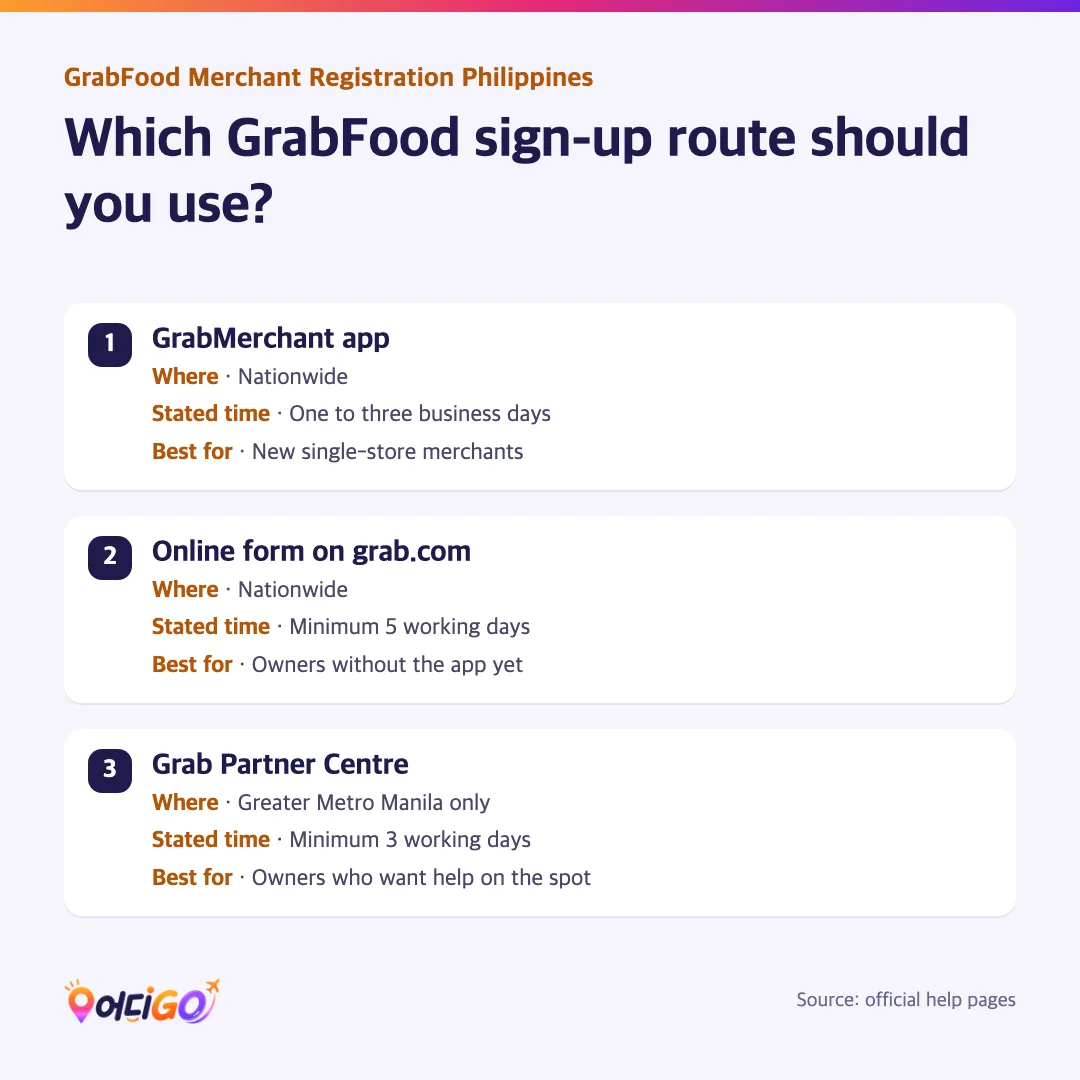
The Partner Centre works by appointment, and Grab confirms the slot by SMS. For the online form, enter your contact details carefully, because the next set of instructions for the application is sent to them. Chains and franchise groups with several outlets are not covered by the app route, since Grab limits it to new single-store merchants; they go through the form or the Partner Centre.
What documents do you need for GrabFood registration?
The paperwork changes with your business type, so find your column first. This table follows the requirement list in Grab’s help article “How do I become a GrabFood merchant”.
| Document | Sole proprietor | Partnership | Corporation |
|---|---|---|---|
| BIR 2303 (mandatory) | Yes | Yes | Yes |
| DTI or SEC certificate | DTI | SEC | SEC |
| Articles of Incorporation or Partnership | No | Yes | Yes |
| TIN | Yes | Yes | Yes |
| Photo ID with specimen signature | Yes | Yes | Yes |
| Notarized Secretary’s Certificate or LOA | LOA | Secretary’s Certificate | Secretary’s Certificate |
| Photo proof of bank account | Yes | Yes | Yes |
| Hero shot, menu and menu photos | Yes | Yes | Yes |
A Letter of Authorization is also needed when the authorized representative is not the owner or not named in the AOI or GIS, and when the bank account owner is not the authorized representative. Alcohol sellers add a DTI License to Operate. Do not plan on selling tobacco or vape, since Grab no longer facilitates those products due to Google Play Store policy.
Grab’s help article also links a “Grab Merchant Fill Up form” template for setting up your store. Filling it in before you apply gives you the menu list, prices and store details in one place, ready to copy into the app.
Which government papers should you get before applying?
Grab checks registration papers but does not issue them, so they come from three different offices. Each is its own procedure, and this guide only shows where it fits in the order.
- Register the business name with DTI through the Business Name Registration System if you trade under any name other than your own true name. Corporations and partnerships register with SEC instead. DTI registration is a separate process with its own requirements.
- Get the mayor’s or business permit from your city hall; Quezon City, for example, asks for DTI proof for a sole proprietorship or SEC proof for corporations and partnerships. The same city guide also asks for a tax declaration if you own the place or a contract of lease if you rent it.
- Register with the BIR to receive the Certificate of Registration, BIR Form 2303. Grab’s tax article states that all online merchants must be BIR-registered on or before joining an e-marketplace platform.
Want one more place where customers can find your shop? → List your shop for free
Notice that the mayor’s permit is not on Grab’s document list, even though your city requires it to operate. Quezon City gives an estimated processing time of 1 to 3 days for a new permit. If your shop is in another city, look up the permit steps on your own city hall’s official site.
How do you sign up for GrabFood in the GrabMerchant app?
The self-serve app route is the most detailed process Grab publishes for the Philippines. The steps below follow Grab’s “Guidelines for self-serve onboarding” in order.
- Download the Grab Merchant app and tap Sign up.
- Choose GrabFood if you sell ready-to-eat food and beverages.
- Enter your mobile number with the +63 country code and type in the 4-digit OTP sent by SMS.
- Add an email address that is authorised to complete the registration for your business.
- Fill in brand name, store name, store address, type of cuisine and the store manager’s contact; alcohol sellers upload their licence here.
- Upload TIN and registration papers: DTI Certificate or BIR 2303 for a sole proprietorship, or SEC Certificate, BIR 2303 and AOI for a corporation, plus the owner’s or majority shareholder’s ID.
- Add the bank name, account number, a photo of the bank book and the finance manager’s details.
- While approval is pending, sign the contract in the app, set up the store profile and upload menu items.
The email in step 4 matters more than it looks. After approval you log in to the Merchant app with your business email, so use an address you will keep and that staff can reach if needed. On every screen, type the business name exactly as it appears on your BIR paper; Grab’s own support form asks for the name as stated in your BIR document.
Why do Grab’s own pages give different answers?
Grab’s merchant pages and help articles were written at different times, and several details do not match. Most guides online copy only the short list on grab.com, so the differences below rarely get mentioned.
| Topic | One Grab page says | Another Grab page says |
|---|---|---|
| Sole proprietor papers | DTI or BIR 2303 | BIR 2303 mandatory |
| Time to contract | One to three business days | Within seven working days |
| Store setup | As little as 3 days | Online minimum 5 working days |
| Payout timing | Within 48 hours | Credited weekly |
| App sign-up | Sales team first | App, single-store only |
For documents, prepare for the stricter reading and have BIR 2303 ready even as a sole proprietor, because Grab’s tax article also says all online merchants must be BIR-registered on or before joining an e-marketplace platform. For timing, budget at least a week from complete submission to signed contract, and do not set a launch date until the contract arrives.
Which bank account will Grab accept for payouts?
The bank step trips up many small owners because Grab’s sign-up pages do not mention its bank limits. Those limits appear in the help article on updating a bank account: Grab cannot accept digital banks or certain banks, with GCash, PayMaya, ING Philippines, OCTO by CIMB and Komo by EastWest among the examples.
| Your situation | Use | Extra paper |
|---|---|---|
| Sole proprietor, own account | Traditional bank account | None |
| Account in a family member’s name | Traditional bank account | Letter of Authorization |
| Corporation | Account in the company name | Notarized Secretary’s Certificate |
| Only GCash or Maya | Not accepted | Open a bank account first |
Write the account name as First Name, Middle Initial, Last Name, without periods, commas, hyphens or titles such as Mr. or Ms. Proof of bank can be a passbook, a statement of account and other items, as long as the document shows the bank’s logo. If you change banks later, the request goes through the GrabMerchant Portal with the same proof.
The bank you pick also affects timing: Grab’s payout article says BDO accounts are paid within one to three banking days and non-BDO accounts within three to five. If you are opening a new account for the business anyway, that difference is worth weighing.
What does Grab deduct from each GrabFood order?
Grab does not publish one commission rate for the Philippines: the GrabFood sign-up page says commission is charged at the rate specified in the e-commerce service agreement between Grab and the merchant. Percentages quoted on third-party sites are not from Grab, so read the rate in your own contract before you sign.
Grab’s earnings formula for GrabFood is Net Earnings = Net Sales - Channel Fee (aka Commission) + Withholding Tax. Net sales are total sales after merchant-funded discounts, delivery charges and GrabPay refunds. The channel commission shown in reports includes tax.
| Item | Who pays | Rule |
|---|---|---|
| Commission | Merchant | Rate in your agreement |
| Withholding tax | Merchant | Effectively 0.5% |
| Packaging charge | Customer | Fully transferred to you |
| Senior citizen or PWD discount | Merchant | 20% on one item, VAT-exclusive |
| Merchant-funded promos | Merchant | Subtracted to get net sales |
From July 15, 2024, Grab withholds tax equal to 1% on one-half, effectively 0.5%, of gross remittances under Revenue Regulation 16-2023. You are exempt if your yearly gross remittances are ₱500,000 or less and you submit to Grab a sworn declaration that is signed, notarized and stamped “received” by your BIR Revenue District Office. Holders of a Barangay Micro Business Enterprise (BMBE) certificate are also exempt.
Two details catch owners out. The threshold counts remittances from all e-marketplace operators and digital financial services providers combined, not just Grab. And if you never submit the sworn declaration, Grab withholds the tax anyway. When tax is withheld, Grab sends BIR Form 2307 to the email you registered during onboarding, which you can use when filing.
How do you open your GrabFood store after approval?
Approval does not put you online by itself. Log in to the Merchant app with your business email and switch the store from Paused to Open to start receiving orders. If you take no action for two weeks after becoming a merchant-partner, Grab activates the store for you.
That automatic switch is a reason to finish the menu early, because a store opened with a half-built menu takes orders anyway. Check these before you flip the toggle:
- Menu items: tap Menu on the homepage, then Add an Item, fill in name, price and photos, tap Review Item and Create Item.
- Categories: tap Add a New Category and Create Category, so dishes are grouped the way customers scan a menu.
- Photo sizes: 540x300 for the store cover and 750x750 for list and item photos, with two cover photos in 1:1 and 9:5 ratios.
- Photo style: keep hands and utensils out of the shot and show the whole dish without cropping.
- Business hours: tap the Store icon, then Business Hours and Edit, and save your opening and closing times.
- Banned items: shark meat and manta ray are prohibited, so check item names and ingredients.
If you have a long menu, the Bulk Update feature is only on the GrabMerchant Portal, not the app. Typing twenty or more items one by one on a phone is slow, so a laptop session on the portal usually saves time.
Where do GrabFood applications get stuck, and what fixes them?
Most delays come from a mismatch between papers, names and accounts rather than from Grab’s review. The table pairs each symptom with its likely cause and the next step.
| Symptom | Likely cause | What to do |
|---|---|---|
| Error on the Grab website | Form problem | Book Merchant Center or send help form |
| Asked for more documents | Missing BIR 2303 or ID | Upload in the help form |
| Bank details rejected | Digital bank | Use a traditional bank |
| Bank name rejected | Wrong name format | Match the passbook name |
| No contract after a week | Incomplete file | Check email, then use the help form |
| Locked out of the app | Five failed logins | Contact your Account Manager |
| Password reset link dead | Older than 5 days | Request a new reset |
| Tax withheld unexpectedly | No sworn declaration | File it with your RDO |
The help form for applications accepts up to 15 files, in PNG or JPG for photos. Scan each paper as one clear image and name the files by document, so the reviewer does not have to ask again.
How do you add another branch after your first store?
A second outlet is not a new sign-up; it has its own request flow. Grab lets you manage all branches under one Grab account, with a separate profile for each branch.
Metro Manila merchants can visit the Grab Merchant Center for in-person help and faster onboarding if they bring the required documents. Elsewhere, you file a ticket and receive an email with a link to an online sign-up form and a unique verification code. Corporations whose authorized representative is in the AOI must submit the notarized Secretary’s Certificate within 60 days, or the account can be put on hold.
Frequently asked questions
Can customers pay my GCash directly for GrabFood orders?
Grab’s tax article says any e-wallet used for customer payments must be in the seller’s BIR-registered trade name, not the owner’s personal number. For payouts from Grab itself, a traditional bank account is still required.
Do Grab’s commission figures include VAT?
In Grab’s reports, the channel commission and the delivery commission are both stated as inclusive of tax. Grab has also said it will start displaying rates as VAT-ex in future contracts, so check which basis your contract uses.
Does Grab’s ₱500,000 threshold count my walk-in sales?
No. Gross remittance excludes discounts, shipping fees, VAT and platform fees. It covers what online platforms pay out to you, so counter sales paid in cash are outside it.
How long do menu or photo changes take after launch?
When you send a change request with the required documents, Grab replies by email within three to five working days. Changes you make yourself in the app or portal are faster; refresh the app to see them.
Who handles senior citizen and PWD verification?
Grab verifies the customer, and the merchant funds the discount. Merchants receive weekly reports showing the transactions with these discounts.
References
- Grab Philippines: Merchant
- Grab Philippines: GrabFood Merchant sign-up
- Grab Help Centre: How do I become a GrabFood merchant
- Grab Help Centre: Guidelines for self-serve onboarding
- Grab Help Centre: Help with my GrabFood/GrabMart merchant application
- Grab Help Centre: Request to update bank account
- Grab Help Centre: When will I receive my payment
- Grab Help Centre: How do I calculate my earnings
- Grab Help Centre: Understanding Grab’s financial terms
- Grab Help Centre: Withholding tax on gross remittances
- Grab Help Centre: Senior citizen and PWD discounts on Grab
- Grab Help Centre: Manage items and categories in your menu
- Grab Help Centre: Best practices for taking store photos
- Grab Help Centre: Updating restaurant operating hours
- Grab Help Centre: I can’t log in to the app
- Grab Help Centre: How to add another restaurant branch
- Google Play: GrabMerchant
- DTI Business Name Registration System
- Quezon City Government: How to Open a Business in QC
Last checked: 2026-10-23
Related guides
Next step: ESTA Application 2026: New Fee, Selfie Step and Denial Fixes
This guide was drafted with AI, checked sentence by sentence against the official source pages by a separate AI fact-checker, and approved for publication by the Eodigo Marketing Team. Our editorial standards
With your shop details right on the map, open one more path for customers to find you.
This blog is brought to you by Eodigo. For restaurants, cafés, salons and other local shops, we build multilingual websites, run ads that bring in customers, and connect orders and bookings in one place. Listing your shop on Eodigo is free and helps more customers find you.