Restaurant marketing on a small budget can start with a free, verified Google Business Profile with current hours, menu, photos and posts, plus replies to your reviews. Add local influencer visits once that base is solid, and agree on disclosure and terms before any free meal.
Contents
Where should a restaurant start marketing on a small budget?
Begin with the free channel diners already use to find a meal, and bring in creators later. A Google Business Profile costs nothing to add or claim, and once it's verified, customers can find you on Search and Maps.
- Google Business Profile. Have a Google Account ready, and your address checked against Google's guidelines.
- Hours, menu, photos and posts. Put offers in posts, not in the business description.
- Review replies. Verify the business first, since you can't reply to reviews before that.
- Influencer visits and free meals. Agree on how the disclosure will appear in each post.
Want one more place where customers can find your shop? → List your shop for free
It makes sense to finish the first three before you give away meals, so anyone who looks you up after a creator's post finds accurate details.
This guide sticks to Google and local creators, so paid ads, email and text campaigns, loyalty programs and running your own social accounts are outside it. Consider them once your profile is complete and you have your own figures to compare against (see measuring what's working). In the meantime, add your social media links to your profile so the two connect.
Setting up and verifying your Google Business Profile
You need a verified profile before you can edit details like your name or hours, or interact with customers on Google. You'll need a Google Account, which can use a Gmail address or any email you already have.
If your restaurant isn't on Google yet, add it:
- Go to business.google.com/add and click Add your business to Google.
- Fill in your details as the screen asks. Check that the address is correct and meets Google's address guidelines.
- Choose a verification option and follow the steps on screen.
If an unverified profile for your restaurant already shows up, claim it:
- On a computer, open Google Maps and search for your restaurant's name and city. On a mobile device, open the Google Maps app, enter the name and select the right result.
- On a computer, select Claim this business, then Manage now. In the app, tap About, then Claim this business, then Manage now.
- Choose a verification option and follow the instructions.
If someone else already verified the profile and you're authorized to manage the business, request ownership from the current owner. Avoid making a second profile, because there should only be one profile per business.
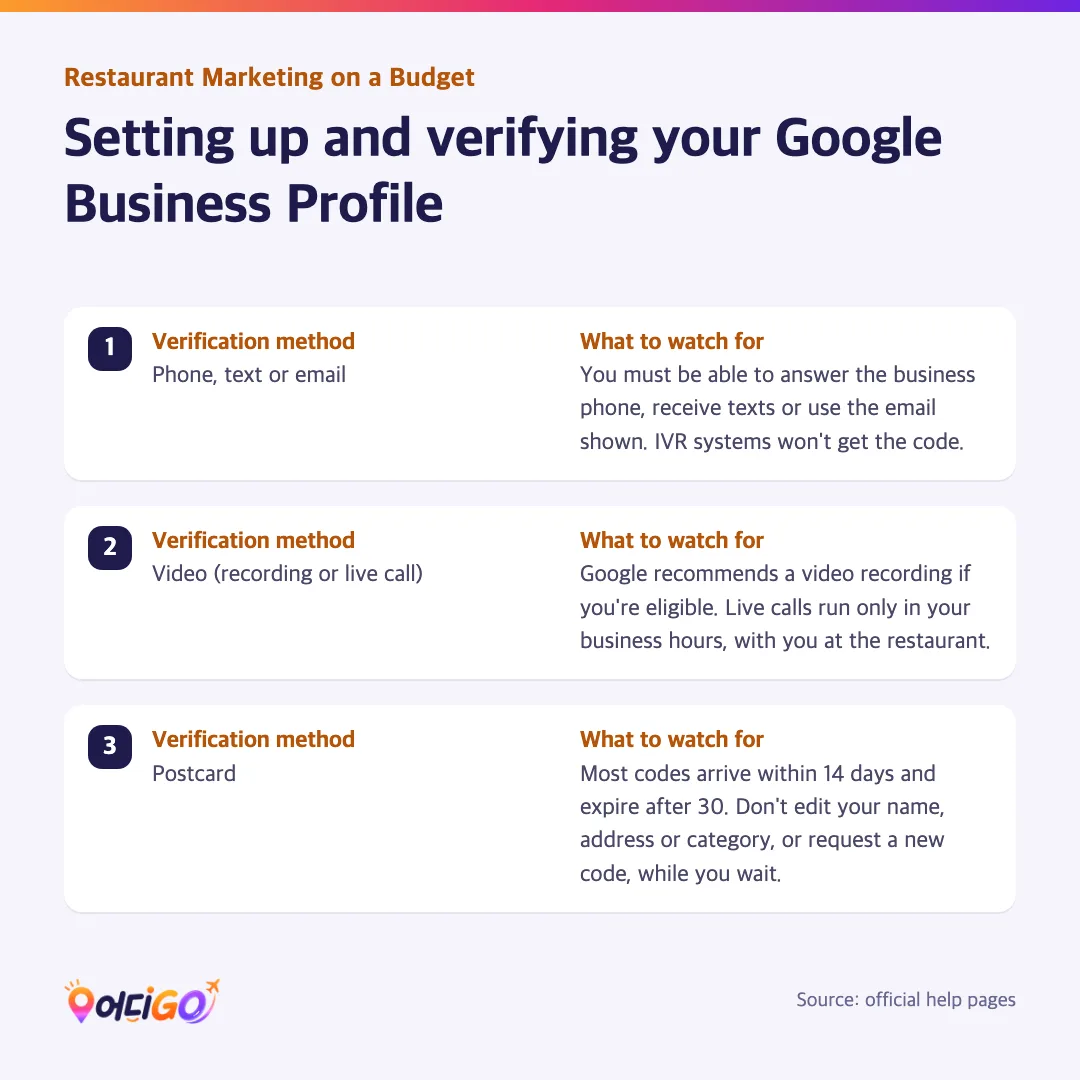
Google sets the verification methods you see automatically, based on your business type, public info, region or business hours, and you can't change them. In some cases you may need to verify with more than one method.
| Verification method | What to watch for |
|---|---|
| Phone, text or email | You must be able to answer the business phone, receive texts or use the email shown. IVR systems won't get the code. |
| Video (recording or live call) | Google recommends a video recording if you're eligible. Live calls run only in your business hours, with you at the restaurant. |
| Postcard | Most codes arrive within 14 days and expire after 30. Don't edit your name, address or category, or request a new code, while you wait. |
After you finish, Google reviews what you sent, which takes up to 5 business days and on rare occasions longer. You'll get a confirmation email once you're verified.
Getting your hours, menu and photos right
Once verified, fill in the parts customers act on: hours, menu, photos and ways to order or book. Google's setup guide for restaurants covers each of these.
- Set your regular hours as the times diners can sit down and eat. If that doesn't apply, use takeout hours, then drive-through hours, and delivery hours only as a last resort.
- Add more hours for delivery, takeout, drive-through or pickup, and special hours for holidays and special events.
- If you take online orders or bookings, set up Order with Google or Reserve with Google and choose your preferred provider.
- Upload photos and videos of your interior, exterior and the overall dining experience.
- Use the menu editor to build a menu with sections, dishes, descriptions and prices. You can also set a menu URL and upload photos of your menu.
If you run a virtual or delivery-only food brand, read Google's guidelines for those brands before you add an address. The mistakes below are all spelled out in Google's profile guidelines.
| Common mistake | What the guidelines say |
|---|---|
| Adding a slogan, "Open 24 hours" or a dish name to your business name | Unnecessary information in the name isn't permitted and could result in suspension. Use the name customers see on your storefront. |
| Writing the name in all capitals, or repeating it in two languages | All-caps words aren't acceptable. Neither is repeating the name in several scripts or languages, even if your signage does. |
| Writing "Everything on sale, -50%" in the business description | The description must not focus on promotions, prices or sales, and no links of any type are allowed. |
| Picking many categories as keywords | Use as few categories as possible, as specific as possible. Google's example is a pizza business with takeout and delivery but no on-premises dining: Pizza Delivery is correct, Takeout Restaurant isn't. |
| Listing a call center or a number that redirects | Use a phone number that connects to your location and is under your direct control. Premium numbers aren't acceptable. |
| Making a second profile for the same location | Don't create more than one page for each location, in one account or several. |
Restaurant marketing ideas for common situations
Most day-to-day promotion can run through your profile's posts, menu, photos and review tools. Find the situation closest to yours and try the matching move first.
- Weekday lunch is quiet. Create a post that features a lunch offer, since profile posts can feature offers, updates or events.
- You have few reviews. Share your review request link or QR code with every diner.
- Takeout or delivery is growing. Set more hours for those services and accept orders with Order with Google.
- Guests keep phoning to book. Set up Reserve with Google to manage bookings and waitlists on Google. If you don't have a provider, you can choose one Google supports.
- A guest wrote a glowing review. Share its direct link as a testimonial for new customers.
- Guests post photos of new dishes. Reply to their photo updates. These don't affect your review score, but other customers can see them.
Getting your review link or QR code. Google's Manage customer reviews page links to its guide, "Create a Google link or QR code to request reviews". Put the code where guests have a spare moment: on the bill for dine-in, on the table if food takes a while, and on takeout bags or packaging for orders eaten elsewhere.
Posting an offer, update or event. Google's restaurant setup guide confirms posts can feature these, but the official sources used here don't say where the post menu is or which fields each type has. Use this as a planning list before you open the post editor:
- Offer. Say what the deal is, which days and times it runs, and any conditions, such as dine-in only. Keep prices here, not in the business description.
- Update. Stick to one piece of news per post, such as a new seasonal dish, with a photo of it.
- Event. Give the date and time, and set special hours for that day if your hours change.
Before you write, check which part of the profile each message belongs in.
- A lunch deal, discount or price → a post. The business description must not focus on promotions, prices or sales ("Best bagels in town for $5!" isn't allowed there).
- A new dish or seasonal menu → menu editor and menu photos, then a post. The editor holds sections, dishes, descriptions and prices.
- A holiday or special event → special hours, then a post. Special hours cover holidays, special events and other exceptional circumstances.
- What you serve, your mission and history → business description. No links of any type are allowed in it.
- Open only part of the year → business description, then "temporarily closed" off-season. Set your regular hours again when you reopen.
Replying to Google reviews and reporting fake ones
You can reply to reviews only after your business is verified. Your reply appears as the business, your personal name isn't shown, and the reviewer is notified. Reviews are available only in certain countries or regions and for certain business categories.
- Go to your Business Profile and select Read reviews.
- Next to the review, select Reply, type your answer, then select Reply again.
Google checks each reply against its content policies before posting it. This usually takes up to 10 minutes, but sometimes up to 30 days. The customer can still change their review after reading your reply.
You can report any review, but only reviews that break Google's policies are eligible for removal. Avoid reporting a review just because you disagree with it, since Google doesn't get involved in conflicts between businesses and customers.
- In your Business Profile, select Read reviews. Next to the review, select Report and choose a reason, such as Spam or Profanity.
- Select Send report, then check its status in the Reviews Management Tool.
Evaluation typically takes several days. If a report finds no policy violation and you disagree, you can submit a one-time appeal. If someone uses negative reviews in an extortion scam against you, Google has a separate way to report that.
Asking for reviews: what's safe and what's risky
Google lets you share a review request link or QR code with customers, so asking is easy. The risk comes when a request is tied to a reward or aimed only at happy guests.
- Sharing a QR code or link with diners. Go ahead, and offer it to every guest. Where to get one is covered above.
- Asking only guests who seemed happy. Ask everyone the same way. Google's prohibited and restricted content policy says it doesn't allow merchants to selectively solicit positive reviews, or to discourage or prohibit negative ones. Google also notes negative reviews can highlight areas for improvement.
- Offering a discount or free dessert for a review. We advise against tying any reward to a review. Google's policy also bans incentives, such as payment, discounts, free goods or services, in exchange for posting any review. In the US, FTC guidance says to disclose the relationship if someone got anything of value to mention a product.
- Staff, friends or family posting reviews. Ask them not to. FTC guidance counts employment, personal and family relationships as material connections.
- Reporting a bad review to hide it. Report only real policy violations. Flagged reviews that violate Google's content policies are removed, but disagreeing with a review isn't a reason to report it.
- Showing off a great review. Copy its direct link from Google Maps and share that.
The FTC points above are US guidance. Before any review campaign, re-read Google's review policy and, if you serve US customers, the FTC's Endorsement Guides.
Working with local influencers and free meals
If you give a creator a free or discounted meal and they post about you, the FTC counts that as a material connection. Their post should make that relationship obvious, even if you didn't ask them to mention you. These are US rules, so if you're outside the US, check your country's advertising rules as well.
The FTC guide is written for influencers and puts the duty to disclose on them. It also says the Endorsement Guides cover how both advertisers and endorsers stay within the law, so it's safer to agree the terms with the creator before the visit.
How to find and approach creators isn't covered in the official sources used here. Before you invite someone, these checks can help you choose:
- Local reach. Check whether their recent posts tag places in your neighborhood, so their followers are likely to be people who could visit.
- Past disclosures. Look at posts where they got something from a business. Is the disclosure with the post itself, in plain words like "ad" or "sponsored", rather than "sp", "collab" or a pile of hashtags? If it doesn't, raise this before you agree to anything.
- Food they actually review. Check whether they post honest views on meals, not only praise, so their recommendation carries weight with followers.
Payment counts as a material connection too, but the FTC guide doesn't set separate wording for a free meal, a discount or payment. Match the words to what actually happened:
- Free meal. "Thanks to [your restaurant] for the free meal" follows the FTC's own example of a simple disclosure.
- Discount. Say the meal was discounted rather than calling it free, for example "[Your restaurant] gave me this meal at a discount".
- Paid post. If you pay the creator, ask for "ad" or "sponsored", since a thank-you line on its own doesn't tell followers they were paid.
The checklist below starts from the point where a creator has agreed to visit.
| Agree before the visit | What to settle |
|---|---|
| What you're giving | Write down the meal or discount you're providing, so the creator knows exactly what to disclose. |
| Disclosure wording | Plain words like "ad", "sponsored" or "Thanks to [your restaurant] for the free meal". Not "sp", "spon", "collab" or a lone "thanks". Use the same language as the post. |
| Where it appears | With the post itself, not only in a bio, at the end, or behind a "more" click. Not mixed into a group of hashtags or links. |
| Stories, video and live | On Instagram Stories or Snapchat, over the picture long enough to read. In a video, in the video itself, ideally both spoken and on screen. In a live stream, repeated from time to time. |
| Honest opinions | Tell the creator they don't have to praise a dish they didn't like. If they're paid and thought a meal was terrible, they can't call it terrific. |
| Only what they tried | They can't talk about dishes they haven't tried, so serve anything you'd like mentioned. |
| No claims you can't back up | Avoid claims that would need proof you don't have, such as a dish treating a health condition. |
| Platform disclosure tools | Fine to switch on, but on top of a clear disclosure, not instead of one. |
What if Google rejects a post or a review goes missing?
The problems that hurt your marketing most are rejected posts, missing reviews and suspension, so start with those. Verification snags are grouped in one line at the end.
- An edit or post was rejected. Submitted content can be rejected for several reasons, so check Google's list and fix the content. If you put a price or promotion in the business description, move it into a post instead.
- Your review reply wasn't posted. Google checks replies against its content policies and asks you to edit any it doesn't approve. See how long the check takes.
- A genuine review disappeared. Automated spam detection may occasionally remove legitimate reviews. Contact support for help.
- You're worried about suspension. Avoid prohibited content, describe your business accurately and follow the profile guidelines. Check your name first, using the common mistakes table.
- Someone else owns your profile. Request ownership from the current owner, as described in the setup section.
- You can't find your profile. Sign in to the Google Account linked to it, then search your name and city, or "my business".
- Verification snags. If "Get verified" shows again, re-verify and try another method if one is offered. After a "Review issues" notice on a video, select Review issues. If a postcard code fails, check you didn't edit the name, address or category or request a new code, then try other options or contact support.
How do you know if it's working?
Your Business Profile has a performance view with insights. For restaurants, Google points to three top metrics to measure.
- Searches: the queries people used to find your business.
- Menu: clicks on your menu content, counted per user per day.
- Bookings: the number of completed bookings by your customers.
Match each change to the metric it's most likely to move. Google's help pages don't say how long to wait before judging a change, so compare equal periods and the same weekdays, before and after.
- Updated the menu or menu photos → Menu. Look for more clicks on your menu.
- Turned on Reserve with Google → Bookings. Count completed bookings, leaving out holidays and special events.
- Fixed your name, category or hours → Searches. Check whether the queries look more like what diners type.
- Published an offer or event post → Menu and Bookings. Compare the days the offer ran with the same weekdays before it.
If a number doesn't move, check that only one thing changed in that period before you change something else.
Frequently asked questions
These are questions restaurant owners often ask about free marketing on Google and with influencers. Each answer links to the section with the full steps.
How do I market a restaurant with no budget?
Add or claim your Google Business Profile, which costs nothing, and verify it. Then keep hours, menu and photos current, post offers and events, and reply to reviews, as set out in where to start.
Which free Google features should a restaurant set up first?
Google's restaurant guide starts with signing up and verifying, then core details such as address, phone number and hours. Ordering and booking come next, followed by photos and menu, then posts and review replies. See getting your hours, menu and photos right.
Can I give a free dessert in exchange for a review?
We advise against it. Google's content policy bans incentives such as discounts or free goods for any review, and in the US the FTC also expects the relationship to be disclosed. See asking for reviews.
Does an influencer have to say they got a free meal?
Under US FTC guidance, a free or discounted product is a material connection, and the post should make it obvious. Plain words like "ad" or "Thanks to [your restaurant] for the free meal" are often enough if they're hard to miss; "sp" or "collab" aren't. The influencer checklist lists what to agree before the visit.
Can I get a negative review removed?
Only if it breaks Google's policies. You can report any review, but disagreeing with it isn't a reason for removal, and you can submit a one-time appeal if a report is turned down. The steps are in replying to and reporting reviews.
References
Every fact in this guide comes from the official pages below, except the creator-selection checks in the influencer section and the post-planning list, which are our suggestions. Check the pages again before a campaign, since policies can change.
- Add or claim your Business Profile (Google Business Profile Help)
- Verify your business on Google (Google Business Profile Help)
- Get started with a Business Profile for your restaurant (Google Business Profile Help)
- Guidelines for representing your business on Google (Google Business Profile Help)
- Manage customer reviews (Google Business Profile Help)
- Report inappropriate reviews on your Business Profile (Google Business Profile Help)
- Prohibited and restricted content (Google Maps user-contributed content policy)
- Disclosures 101 for Social Media Influencers (Federal Trade Commission)
Last checked: 2026-10-02
Related guides
Next step: Local SEO for Small Business: Rank Higher on Google Maps
This guide was drafted with AI, checked sentence by sentence against the official source pages by a separate AI fact-checker, and approved for publication by the Eodigo Marketing Team. Our editorial standards
Start with the low-cost options first, beginning with places where you can list your shop for free.
This blog is brought to you by Eodigo. For restaurants, cafés, salons and other local shops, we build multilingual websites, run ads that bring in customers, and connect orders and bookings in one place. Listing your shop on Eodigo is free and helps more customers find you.